
For tired, screen-strained eyes
Reset your eyes.
A full day of screens leaves your eyes dry, achy, and hard to focus. EyeReset gives them guided breaks and evidence-based exercises — right on your iPhone — so you feel better by the end of the day.

It's not you — it's the screens
A full day of screens is one of the most common causes of digital eye strain. Here's what's actually happening to your eyes.
You blink about half as much
Locked onto a screen, your blink rate drops — so your eyes dry out and start to feel gritty.
Your focus is stuck up close
Hours at one near distance tire the muscles that focus your eyes, leaving them achy and slow to refocus.
Glare and brightness pile on
Harsh lighting and mismatched screen brightness make your eyes work harder still.
Ongoing screen discomfort like this is what eye-care professionals call digital eye strain. American Academy of Ophthalmology
How EyeReset works
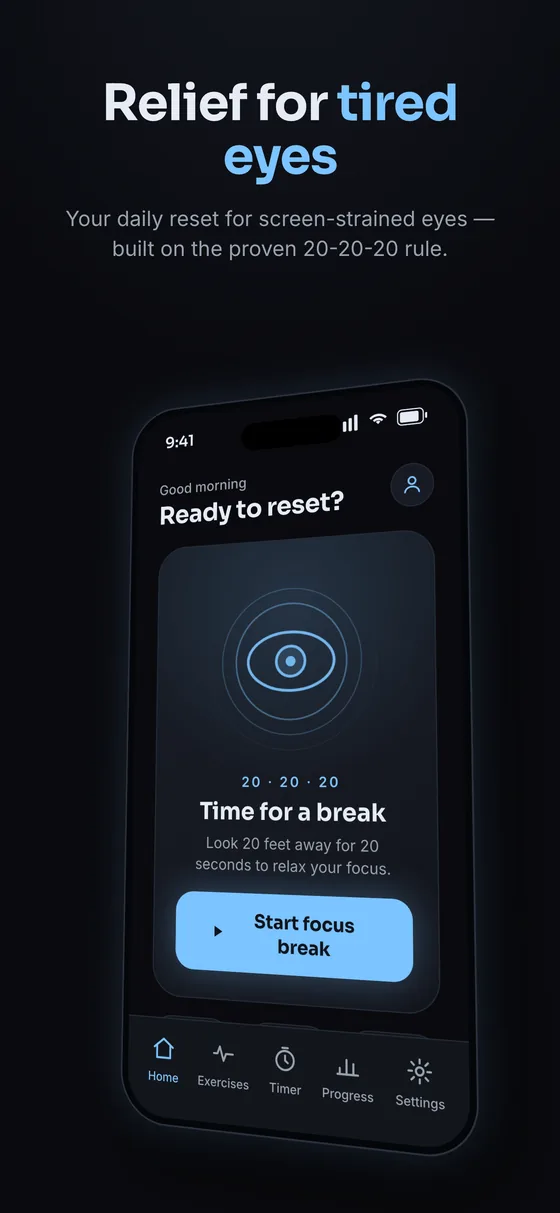
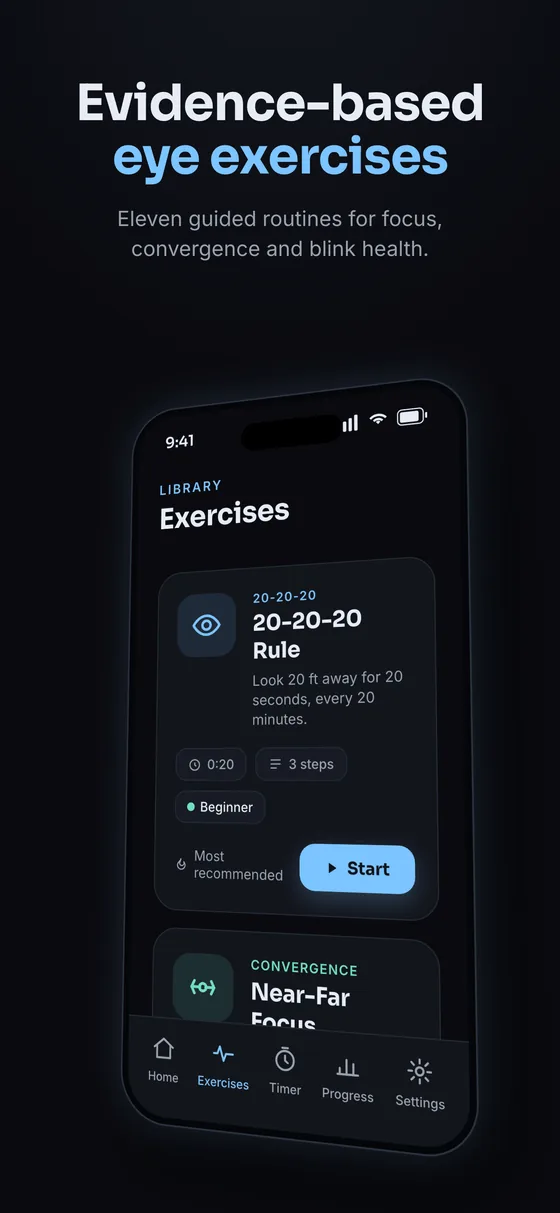
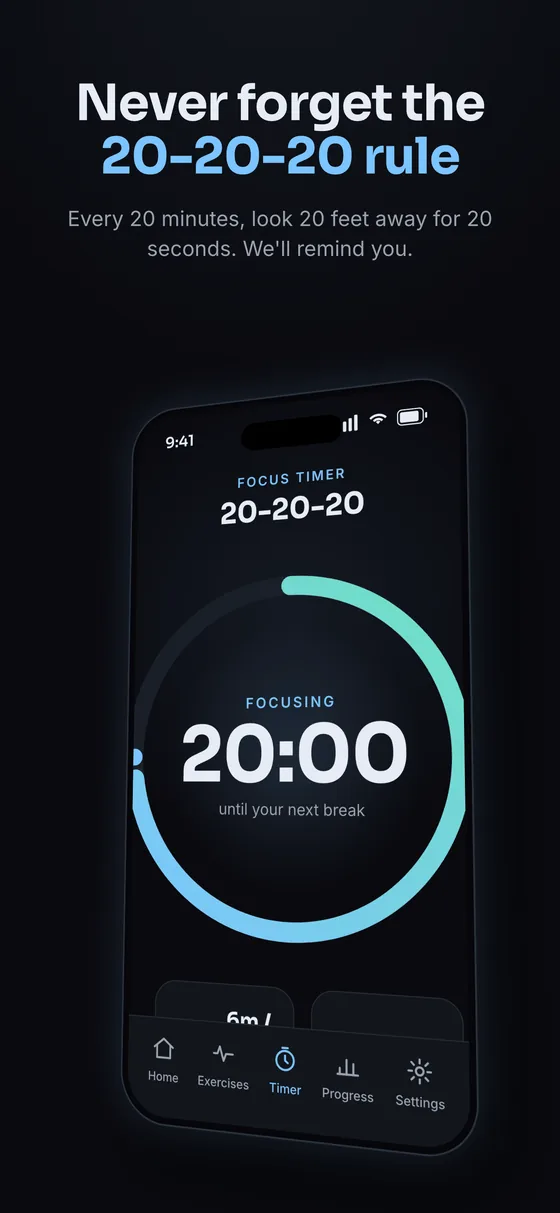
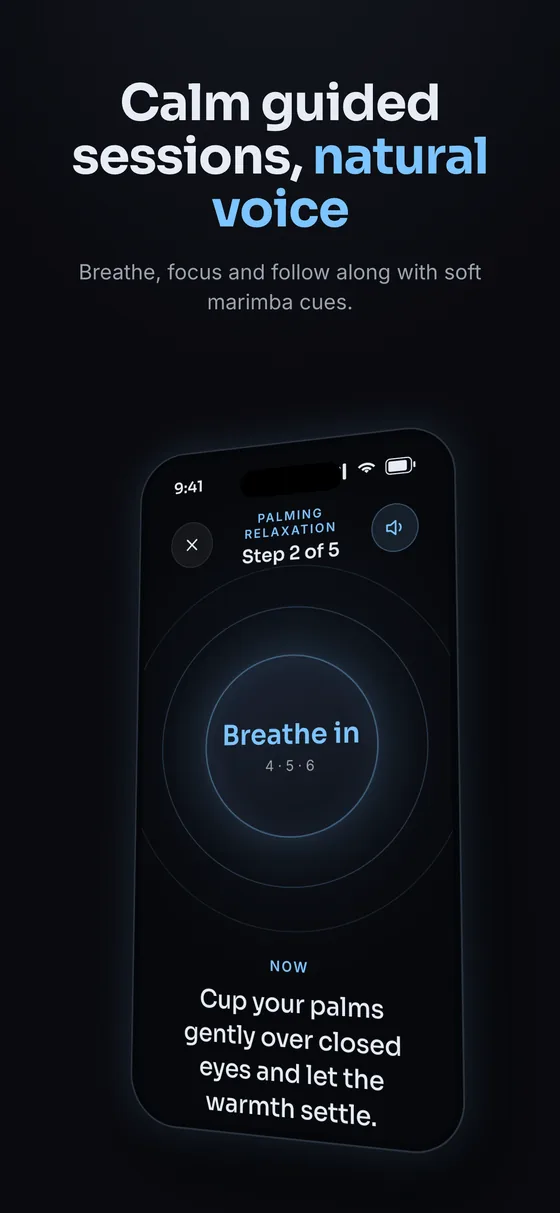
EyeReset builds the 20-20-20 rule into a gentle timer, then layers in short guided exercises for convergence, focusing, and dry-eye relief — the categories eye care professionals commonly discuss for screen-related strain. Pick a session length, follow the on-screen cues, and get back to work with your eyes reset.
EyeReset's break timing and exercise categories are informed by publicly available guidance from the American Academy of Ophthalmology, research from the Convergence Insufficiency Treatment Trial (CITT), and the TFOS DEWS II report on dry eye. EyeReset is a wellness tool, not a medical device — it does not diagnose, treat, or cure any eye condition. If you have persistent eye pain or vision changes, see an eye care professional.
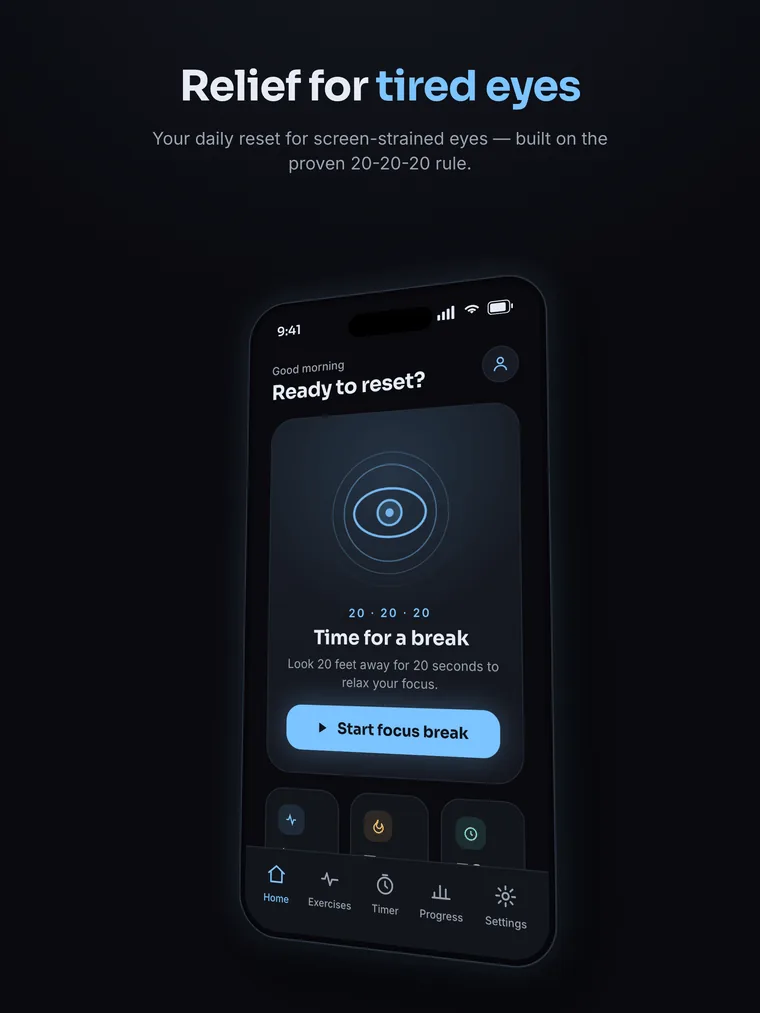
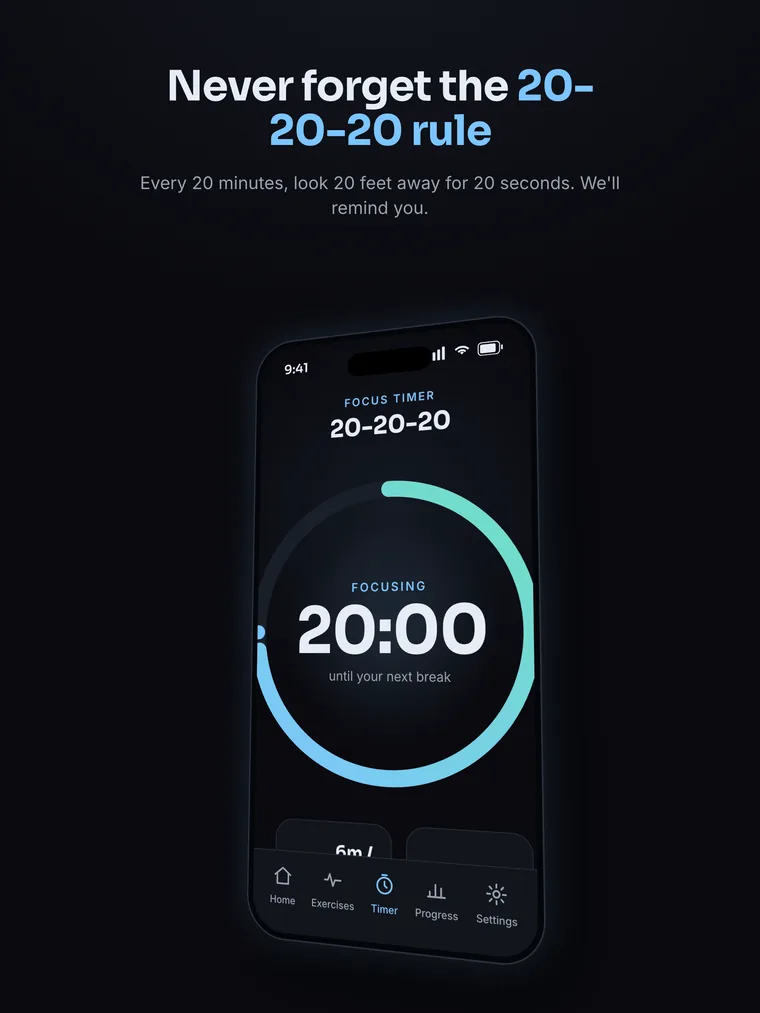
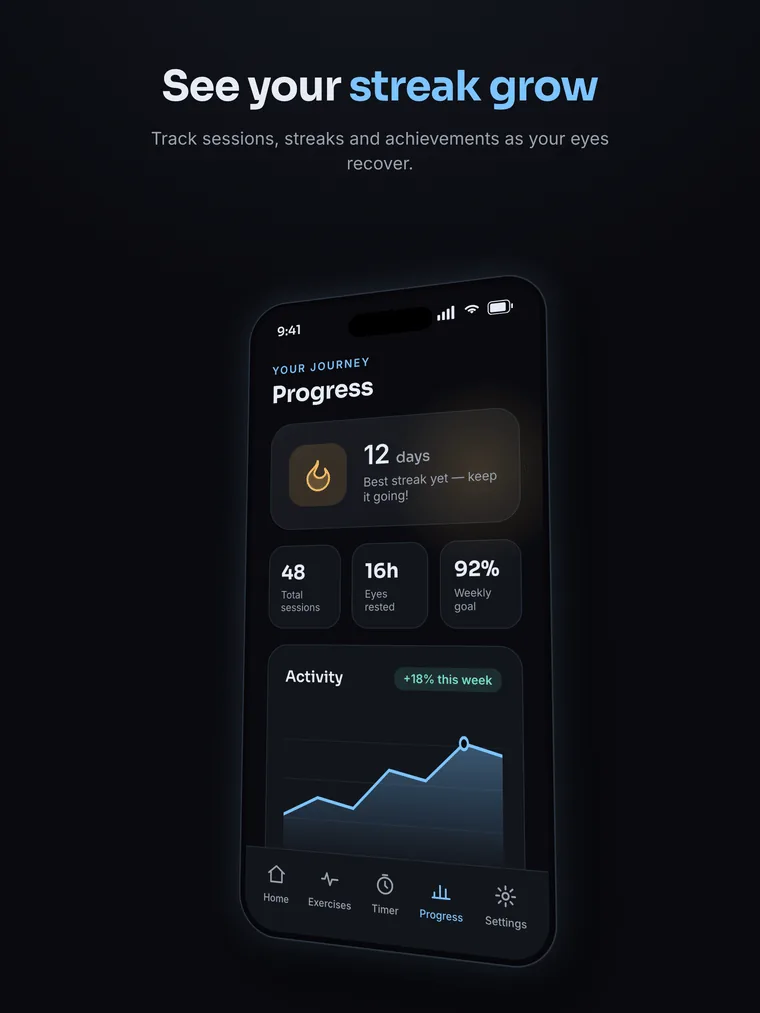
See EyeReset in action
A calm break timer, guided exercises, and progress you can feel — on iPhone and iPad.
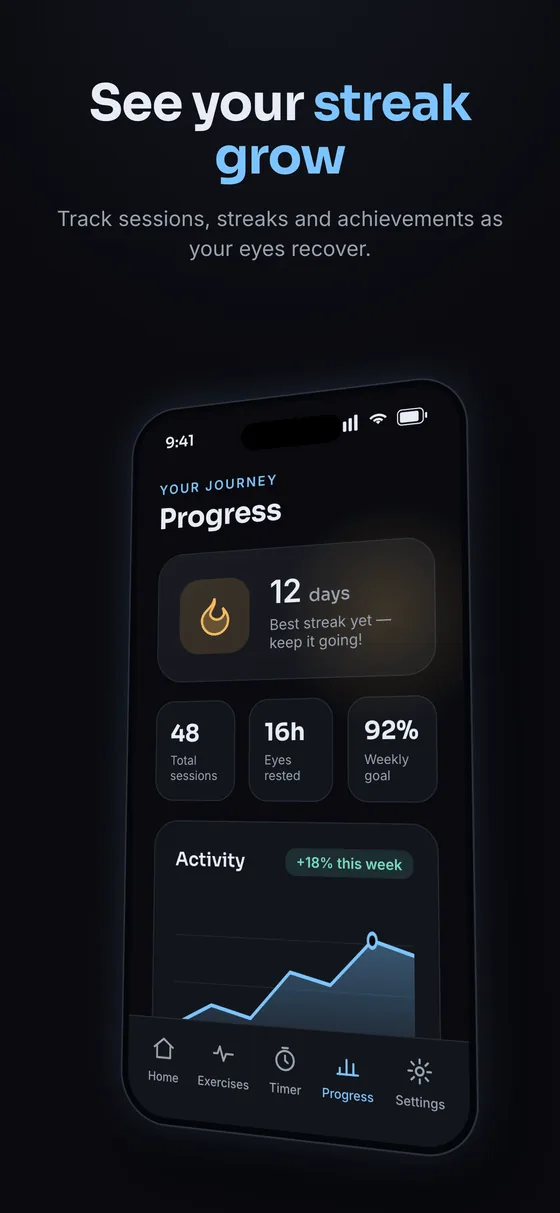
Beautiful on iPad, too
From the blog
Read more articles →Why Our Extension Has No Blue-Light Filter
Do blue-light filters help eye strain? Two reviews found little sign they do, and a night-mode trial found no sleep difference. Here's what we built instead.
It's Not How Often You Blink, It's How Completely
Blinking less at the computer is only half the story. Focused reading lowers blink rate on paper too; screens add more incomplete blinks. Here's the study.
Does the 20-20-20 Rule Actually Work?
Break reminders eased eye-strain symptoms while people used them, then the benefit faded. The exact 20/20/20 numbers have little direct support. Here's the evidence.

Also from Digital Relief
Working at a computer? Our free Chrome extension brings the same 20-20-20 breaks to your desk.
Questions, answered
- How does EyeReset help with eye strain?
- It runs the 20-20-20 rule and short guided exercises on your iPhone, reminding you to rest your eyes and blink so screen strain doesn't build up through the day.
- Does the 20-20-20 rule actually work?
- It's recommended by eye-care organizations and supported by studies as a simple way to reduce digital eye strain. It eases symptoms — it isn't a treatment for any eye disease.
- Is EyeReset free, and is my data private?
- EyeReset is free to download. Your reminders and history stay on your device — no account, no ads, and we don't sell your data.
- What devices does it work on?
- EyeReset is an iOS app for iPhone. You can also use our free 20-20-20 timer right in your browser, on any device.
Give your eyes a reset today
Free to download. Guided sessions, gentle reminders, and progress that stays on your device.